
Current quantity and location for every item
MECH Orbit · complete stock control
Inventory and parts
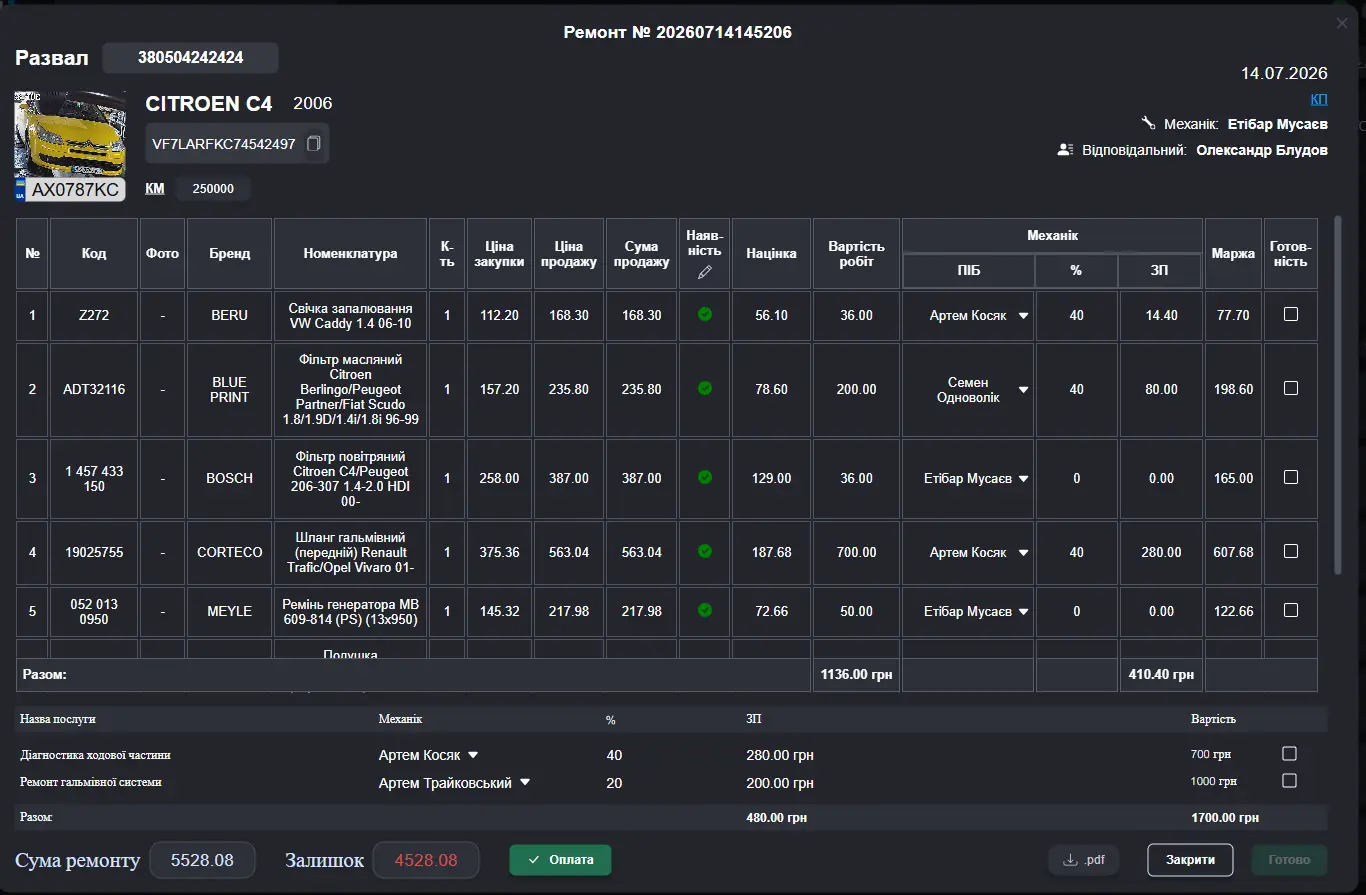
Stock, location, receiving and issuing are linked to a specific work order. The system prevents buying a part that is already in stock.
What changes
Money should not disappear into duplicates and unknown stock
MECH Orbit checks availability before ordering, shows the storage location and keeps the movement history of every part.
Receiving and issuing in one process
History of who issued each part, when and for which vehicle
How it works — step by step
Inventory and parts · MECH Orbit
The mechanic adds a part to the work order
The system checks available stock
The part is reserved or a purchase order is created
Issuing is automatically assigned to the vehicle
Frequently asked questions
Can I start with one service bay?+
Yes. Start with one bay, verify the result and expand when ready.
How long does implementation take?+
The standard configuration and team onboarding normally take two to three days.
Is a card required for the trial?+
No. The 14-day trial starts without linking a payment card.
Start your 14-day free trial
No card required. We help migrate your data and configure the system for your workshop.
Start free →